
The End of Passwords: A Beginner's Guide to How Passkeys Actually Work
With over 5 billion passkeys now in active use globally, the technology replacing the traditional password has officially gone mainstream. Here is a plain-English guide to the cryptography behind passkeys, why they defeat phishing, and how to make the switch.
By Factlen Editorial Team
- Security Researchers
- Focus on the cryptographic strength of WebAuthn and the elimination of phishing vulnerabilities.
- Consumer Advocates
- Prioritize user experience, seamless syncing across devices, and the end of password fatigue.
- Enterprise IT Leaders
- Value passkeys for reducing help-desk costs associated with password resets and securing corporate networks.
What's not represented
- · Legacy System Administrators
- · Users without biometric-capable devices
Why this matters
Passwords are the weakest link in digital security, responsible for the vast majority of data breaches and identity theft. Understanding how to use passkeys not only simplifies your daily logins but fundamentally protects your digital life from remote hackers.
Key points
- Over 5 billion passkeys are now in active use globally, signaling mainstream adoption.
- Passkeys use public-key cryptography to eliminate the shared secrets that make passwords vulnerable.
- Because the private key never leaves your device, passkeys are virtually immune to phishing attacks.
- Modern passkeys sync securely across devices via the cloud, preventing lockouts if a phone is lost.
The traditional password is dying, and the latest industry numbers finally prove that the transition is well underway. According to the FIDO Alliance's 2026 State of Passkeys report, over 5 billion passkeys are now in active use worldwide, marking a monumental shift in how we secure our digital lives. What was once considered a niche security feature reserved for tech enthusiasts and enterprise IT departments has officially crossed the threshold into mainstream consumer adoption. The report reveals that 90 percent of consumers are now aware of the technology, and an impressive 75 percent have enabled a passkey on at least one of their online accounts.[1]
This shift represents the most significant upgrade to internet security in decades, addressing a flaw that has existed since the dawn of the web. For as long as the internet has been widely used, it has relied on a shared secret model for authentication. Users are forced to memorize a complex string of characters—or rely on a password manager to generate and store it—and then send that secret over the internet to a server to prove their identity. While this system was functional in the early days of computing, it has become a massive liability in an era of sophisticated cybercrime.[4][5]
The fundamental flaw in the password model is that the secret must be shared with a third party. If a company's server is breached by hackers, the attackers can steal the entire database of hashed passwords and crack them offline at their leisure. Worse, if a hacker tricks you into typing your credentials into a fake website—a highly effective social engineering tactic known as phishing—your secret is instantly compromised. Because the password is the only barrier to entry, the attacker can immediately use it to access your bank account, email, or corporate network.[5]

Passkeys solve this fundamental vulnerability by eliminating the concept of a shared secret entirely. Instead of relying on a password that can be intercepted or stolen, passkeys rely on a foundational security concept known as public-key cryptography, which is built upon the open WebAuthn standard. When you register for an account using a passkey, your device generates a unique pair of mathematically linked keys: a public key and a private key. These keys are fundamentally different objects; knowing the public key provides absolutely no mathematical advantage in guessing the private key.[4][6][7]
During the registration process, the public key is sent over the internet and stored securely on the website's server. It acts much like a digital padlock that only your specific device can open. The private key, however, remains securely locked inside your device's hardware enclave—a specialized, tamper-resistant chip inside your smartphone, tablet, or laptop. Because the private key is never transmitted over the internet or stored on the company's servers, there is nothing for a hacker to intercept in transit, and absolutely nothing for them to steal if they manage to breach the website's database.[4][6]
When you attempt to log in to the website, the server does not ask you to provide a password. Instead, it sends a unique cryptographic "challenge" down to your device. Your device uses its securely stored private key to mathematically sign this challenge, and then sends the signed assertion back to the server. The server then uses your public key to verify the signature. If the complex math checks out, the server knows definitively that the response came from your device, and you are instantly granted access to your account.[4][6]

When you attempt to log in to the website, the server does not ask you to provide a password.
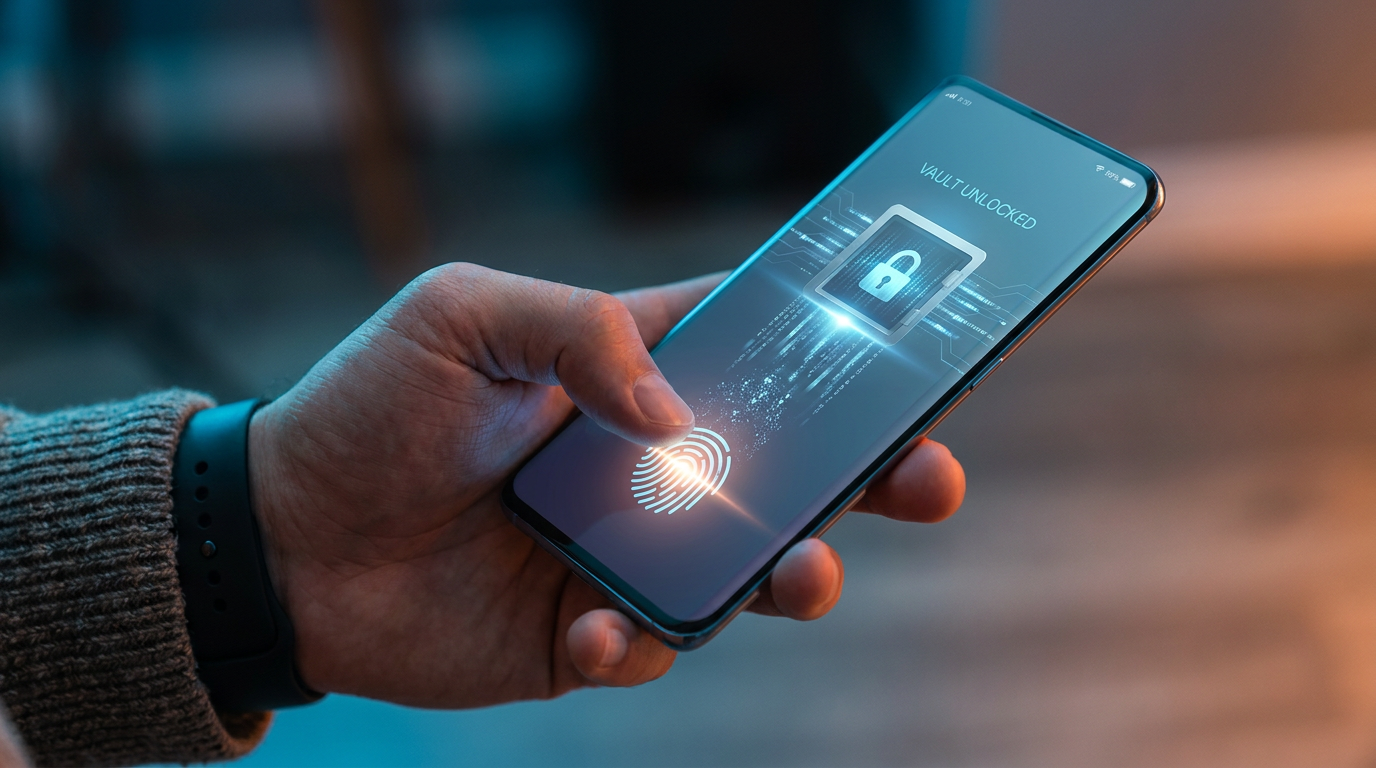
To ensure that a thief who steals your physical phone cannot simply open your apps and access your accounts, the private key is protected by local biometric security. The key can only be activated and used to sign a challenge when you unlock the device using a local authentication method. This means you authorize the passkey using the exact same method you use to unlock your phone or computer dozens of times a day: a fingerprint scan, facial recognition, or a secure local PIN. The biometric data itself never leaves your device; it merely acts as the trigger to unlock the private key.[6]
This unique cryptographic architecture makes passkeys virtually immune to phishing attacks, which remain the most common vector for identity theft. Because the passkey is cryptographically bound to the specific website domain it was originally created for, it cannot be tricked by a clever imitation. If a hacker sends you a link to a fake banking website that looks identical to the real one, your device simply will not produce the required signature, because the domain does not match the original registration. The attack fails before it can even begin.[4][5]
Early iterations of this technology required users to carry physical hardware security keys, like a YubiKey. While these physical tokens were highly secure, they were cumbersome for average consumers and easily lost. The major breakthrough in adoption came when tech giants realized they could turn the smartphones people already carry in their pockets into the authenticators. However, these initial smartphone passkeys were "device-bound," meaning they lived only on the specific phone where they were created. This created a nightmare scenario for users: if you dropped your phone in a lake, you permanently lost access to your accounts.[6][7]
Today, the tech industry has solved this critical usability issue through the introduction of "synced passkeys." Major ecosystem providers like Apple, Google, and Microsoft, along with independent password managers like Dashlane and Bitwarden, now sync your passkeys securely across all your devices via the cloud. This means that if you create a passkey on your laptop, it is immediately available on your smartphone. More importantly, if you buy a new phone or lose your old one, your passkeys automatically travel with you, completely eliminating the fear of being locked out of your digital life.[3][5]

The corporate world is also aggressively adopting the technology to secure their remote workforces against credential-based attacks. Microsoft recently reported that hundreds of millions of users now sign in with passkeys daily across its consumer services, and 68 percent of organizations are currently deploying or piloting passkeys for their employees. For enterprise IT departments, the appeal goes far beyond enhanced security. Passkeys eliminate the massive help-desk burden of constant password resets, which historically cost large organizations millions of dollars annually in lost productivity and IT support tickets.[1][2]
New interoperability standards are also accelerating consumer adoption by removing friction from the setup process. Features like "automatic passkey upgrades" allow websites to silently prompt users to create a passkey during a standard password login, making the transition nearly invisible to the end user. Additionally, the WebAuthn Signals API now allows websites and password managers to communicate seamlessly. If you update your username or email address on a website, the API automatically updates the metadata attached to your passkey, ensuring that your credential manager always has the most accurate information.[3]

Despite this rapid technological growth, we are currently navigating a hybrid era of digital authentication. While major platforms like Google, Amazon, Microsoft, and Apple fully support passkeys, many smaller websites, local banks, and legacy enterprise systems still rely exclusively on traditional passwords. Security experts strongly recommend using a dedicated password manager to handle both legacy passwords and new passkeys during this multi-year transition. These tools provide a unified, encrypted vault, ensuring that users maintain strong security habits regardless of the specific authentication method required by any given site.[5]
Ultimately, the 5 billion passkeys currently in active use represent the beginning of the end for the traditional password. By replacing human memory and shared secrets with invisible, device-bound cryptography, the technology industry is finally delivering an authentication method that is simultaneously vastly more secure and significantly easier to use. As more websites upgrade their infrastructure to support the WebAuthn standard, the act of typing a password will soon become a relic of the early internet, replaced entirely by a simple glance at your screen or a touch of your finger.[1][7]
How we got here
2012
The FIDO Alliance is founded to develop open standards for passwordless authentication.
2019
The W3C officially approves WebAuthn as a web standard, laying the groundwork for passkeys.
2022
Apple, Google, and Microsoft announce expanded support for FIDO standards across their platforms.
2023
Major consumer platforms, including Google and Amazon, begin rolling out passkey support to users.
May 2026
The FIDO Alliance reports that over 5 billion passkeys are now in active use globally.
Viewpoints in depth
The Cryptographic Security View
Security experts view passkeys as the ultimate solution to phishing.
For decades, security professionals have fought a losing battle against human nature, trying to train users not to click malicious links. Passkeys shift the burden of security from the user to the device's hardware. Because the private key cannot be extracted and the cryptographic signature is bound to the specific domain, phishing is neutralized at the architectural level.
The Consumer Experience View
Advocates emphasize that security must be invisible to be effective.
The greatest triumph of passkeys isn't just the cryptography; it's the usability. By piggybacking on the biometric sensors people already use dozens of times a day to unlock their phones, passkeys eliminate the cognitive load of password management. The advent of synced passkeys across cloud ecosystems ensures that users don't lose their digital lives if they lose a physical device.
The Enterprise IT View
Corporate leaders see passkeys as a massive cost-saving measure.
In large organizations, password resets account for a significant percentage of all IT help-desk tickets, costing millions in lost productivity. By deploying device-bound or synced passkeys, enterprises not only close the door on credential-stuffing attacks but also drastically reduce operational overhead, making passwordless authentication a rare win-win for both security and the bottom line.
What we don't know
- How quickly smaller, independent websites will adopt the WebAuthn standard compared to major tech platforms.
- Whether regulatory bodies will eventually mandate passkey support for critical infrastructure and financial institutions.
Key terms
- Public-Key Cryptography
- A cryptographic system that uses pairs of keys: public keys which may be disseminated widely, and private keys which are known only to the owner.
- WebAuthn
- A web standard published by the W3C that allows servers to register and authenticate users using public key cryptography instead of a password.
- Phishing
- A cyberattack where a hacker tricks a user into revealing sensitive information, often by directing them to a fake website that looks legitimate.
- Hardware Enclave
- A secure, isolated subsystem within a device's processor designed to protect sensitive data, like private cryptographic keys, from being accessed by the main operating system.
- FIDO Alliance
- An open industry association launched to develop and promote authentication standards that help reduce the world's over-reliance on passwords.
Frequently asked
What happens if I lose my phone?
If you use synced passkeys through a provider like Apple, Google, or a password manager, your passkeys are backed up in the cloud and will automatically sync to your new device when you log in.
Can someone use my passkey if they steal my phone?
No. To use a passkey, the thief would also need to bypass your device's local biometric security, such as your fingerprint or facial recognition.
Do passkeys work across different operating systems?
Yes. While early passkeys were locked to specific ecosystems, modern password managers and cross-device authentication standards allow you to use passkeys seamlessly across Apple, Windows, and Android devices.
Are passkeys stored in the cloud safe from hackers?
Yes. Providers use end-to-end encryption to sync passkeys. Even if the cloud provider's servers are breached, the hackers cannot read your private keys without your master password or device passcode.
Sources
Source coverage
7 outlets
3 viewpoints surfaced







[1]FIDO AllianceEnterprise IT Leaders
The State of Passkeys 2026: Global Consumer and Workforce Report
Read on FIDO Alliance →[2]MicrosoftEnterprise IT Leaders
Passkey adoption continues to grow industry wide
Read on Microsoft →[3]DashlaneConsumer Advocates
From automatic upgrades to credential exchange: Driving passkey adoption
Read on Dashlane →[4]SentinelOneSecurity Researchers
Password vs Passkey: Cryptographic Architecture
Read on SentinelOne →[5]BitwardenConsumer Advocates
The essential difference: Passwords vs passkeys
Read on Bitwarden →[6]PointsharpSecurity Researchers
The end of the passwords? FIDO & Passkeys in practice
Read on Pointsharp →[7]Factlen Editorial Team
Synthesis by Factlen editorial team
Read on Factlen Editorial Team →

More in meta
See all 6 stories →Open Science
The End of Publication Bias: How 'Registered Reports' Are Fixing the Scientific Method
7 sources

AI Weather Tech
The End of the Supercomputer Bottleneck: How AI is Rewiring Weather Forecasting
7 sources

Recommendation Engines
Explicit Ratings vs. Implicit Signals: How Algorithms Actually Rank What You See
7 sources

Information Diet
RSS vs. Algorithmic Feeds: The 2026 Guide to Reclaiming Your Attention
8 sources
Every angle. Every day.
Get meta stories with full source coverage and perspective breakdowns delivered to your inbox.