
How to Run AI Locally in 2026: The Complete Guide to Private, Free LLMs
Running advanced AI models on your own hardware has shifted from a complex hobbyist experiment to a mainstream, five-minute installation. Tools like Ollama and LM Studio are making private, subscription-free AI accessible to everyone.
By Factlen Editorial Team
- Privacy & Security Advocates
- Value zero-trust environments and keeping proprietary data entirely off third-party cloud servers.
- Developer & Open-Source Community
- Prioritize API access, system integration, and the ability to tinker with open-weight models without vendor lock-in.
- Everyday Consumers
- Focus on cost savings, offline accessibility, and polished graphical interfaces that require no coding knowledge.
What's not represented
- · Enterprise IT Administrators managing fleet-wide local deployments
- · Cloud AI Providers losing market share to local alternatives
Why this matters
Cloud AI subscriptions cost hundreds of dollars a year and require sending your private data to third-party servers. Local AI flips that dynamic, giving you complete ownership of your prompts, zero ongoing costs, and the ability to work entirely offline.
Key points
- Local AI allows users to run large language models on their own hardware, ensuring complete data privacy.
- Tools like Ollama and LM Studio have made installation a simple, five-minute process.
- Local inference eliminates monthly cloud subscriptions and per-token API costs.
- Video RAM (VRAM) is the most critical hardware component for determining which models a computer can run.
- Quantization compresses massive AI models so they can fit into consumer-grade memory.
- Apple Silicon Macs excel at local AI due to their unified memory architecture.
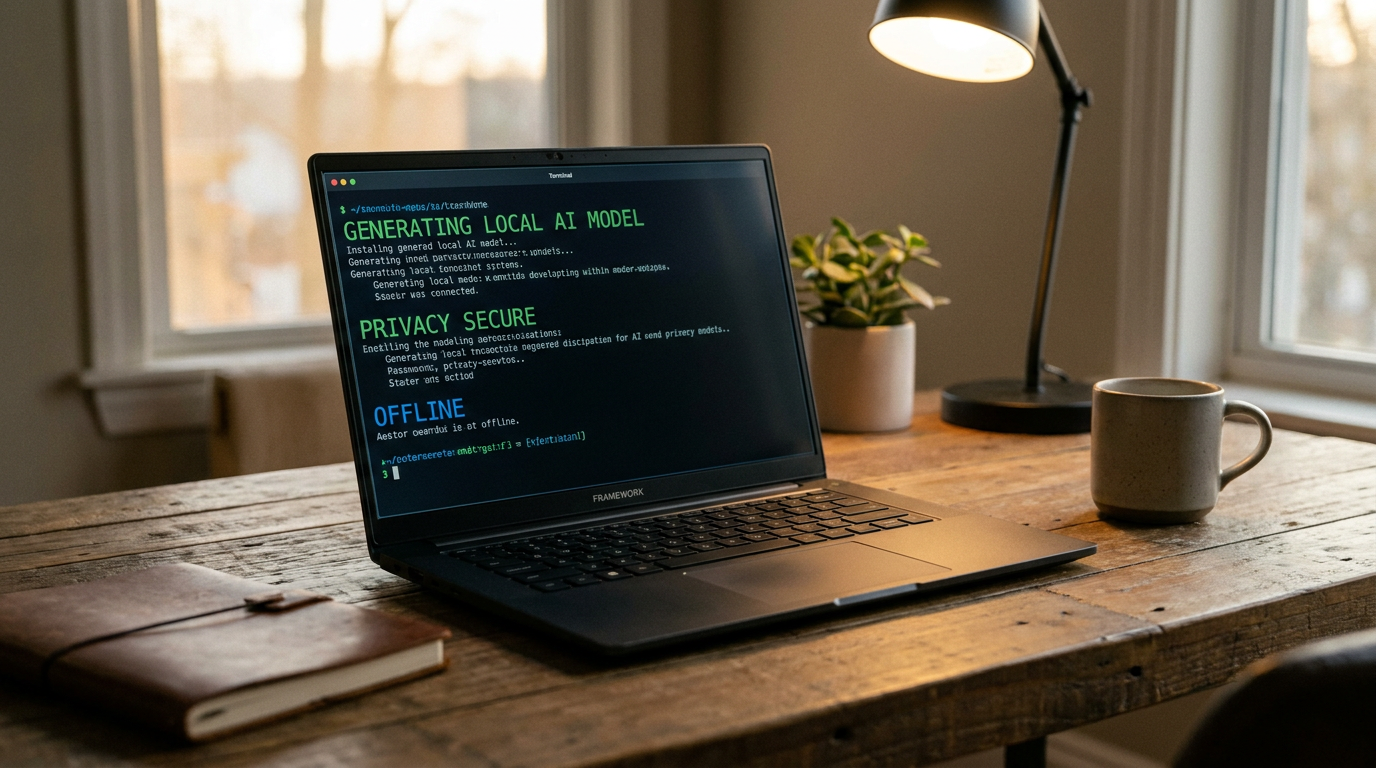
Two years ago, running a capable large language model on a personal computer required deep technical knowledge and expensive hardware. In 2026, that barrier has collapsed. The ecosystem around local inference has matured so rapidly that anyone can download and chat with state-of-the-art AI models in minutes, transforming everyday laptops into self-sufficient AI workstations.[1][6]
The primary driver behind this shift is privacy. When users query cloud-based models, their prompts—which often include proprietary code, client notes, or personal health data—are processed on external servers. Local AI ensures that the model weights live on your hardware and computation happens entirely on-device. No data leaves the machine, creating a zero-trust environment that satisfies strict corporate compliance and personal privacy standards.[1][6]
Beyond privacy, the financial incentive is substantial. Cloud AI subscriptions typically cost $20 per month, and API usage is billed per token, creating a persistent meter running in the background of every task. Local inference eliminates these recurring fees; the only cost is the electricity used by the computer. Furthermore, local models function completely offline, making them invaluable for users traveling, working in secure environments, or facing unreliable internet connections.[1][7]
To run an AI locally, a user needs two main components: an inference engine, which is the software that loads and runs the model, and a frontend, which provides the chat interface. The models themselves are downloaded as files, often compressed using a technique called quantization to make them manageable for consumer hardware.[2][3]

Quantization reduces the precision of the model's internal numbers—typically down to 4-bit (Q4) formats. This mathematical compression shrinks a model to about 25% of its original size with minimal loss in reasoning quality. Because of quantization, massive neural networks that once required server farms can now fit comfortably into the memory of a standard desktop computer.[3][4]
For developers and power users, a tool called Ollama has become the industry standard, crossing 100,000 GitHub stars in 2026. It operates primarily via the command line. A single command, such as pulling a specific model name, downloads the weights and starts a local server in the background, handling all the complex hardware detection automatically.[2][5]
For developers and power users, a tool called Ollama has become the industry standard, crossing 100,000 GitHub stars in 2026.
Crucially, Ollama exposes an OpenAI-compatible API on a local network port. This means developers can easily point their existing applications, coding assistants, or automation scripts to their local machine instead of a cloud provider. By doing so, they treat the local AI as a background infrastructure service, seamlessly integrating private intelligence into their daily workflows.[2][3]
For users who prefer a visual interface, LM Studio is the dominant choice. It functions as a polished desktop application available on Windows, macOS, and Linux. It features a built-in model browser connected directly to repositories like Hugging Face, allowing users to search, download, and chat with models using a familiar window without ever touching a terminal.[3][5]
The single most important hardware metric for local AI is Video RAM (VRAM)—the dedicated memory on a graphics card. The entire AI model must fit into VRAM to run at a usable speed. If a model is too large and spills over into standard system RAM, text generation slows to a crawl, often producing only a few words per second.[4][6]

In 2026, an 8GB VRAM graphics card can comfortably run 7-billion parameter (7B) models. A 16GB VRAM card opens the door to highly capable 12B and 13B models, such as Google's Gemma 4. For power users wanting to run complex 32B models, 24GB of VRAM—often achieved with a used RTX 3090 graphics card—is the practical baseline for smooth performance.[4][6]
Apple's M-series chips (M2, M3, M4) offer a unique advantage due to their unified memory architecture. Because the CPU and GPU share the same massive pool of memory, a Mac Studio or MacBook Pro with 64GB or 128GB of unified memory can run massive 70-billion parameter models that would otherwise require multiple expensive NVIDIA graphics cards on a PC.[2][4]
The open-weight model ecosystem has kept pace with these hardware advancements. In 2026, models like Meta's Llama 4, Google's Gemma 4, and Alibaba's Qwen 3.5 offer reasoning capabilities that rival the frontier cloud models of just 18 months ago. Users can swap these models instantly based on the task—using a small, fast model for basic coding, and a larger model for complex document analysis.[4][6]

Despite the rapid progress, local AI is not a perfect replacement for cloud services in every scenario. Frontier cloud models still hold a meaningful lead in raw reasoning, complex instruction-following, and advanced multimodal capabilities. Local inference is also inherently slower on budget hardware, and users are entirely responsible for their own security updates and system maintenance.[6][7]
Ultimately, the local AI boom of 2026 is fundamentally a trust rebellion. By treating AI as local infrastructure rather than a rented cloud service, users are reclaiming control over their data and their workflows, proving that the personal computer has once again become a credible, self-sufficient workstation.[1][7]
How we got here
Early 2023
Running local models requires deep technical knowledge and complex Python environments.
Mid 2024
llama.cpp and early versions of Ollama begin simplifying the local inference process for developers.
Late 2025
Highly capable open-weight models like Llama 3 and Mistral are released, rivaling paid cloud APIs.
Mid 2026
Local AI goes mainstream with polished GUIs, automated hardware detection, and massive community adoption.
Viewpoints in depth
Privacy & Security Advocates
This camp views local AI as a necessary defense against corporate data harvesting.
For privacy advocates and security professionals, the cloud AI model is fundamentally flawed because it requires sending sensitive data—such as proprietary code, legal documents, or patient records—to third-party servers. They argue that local inference is the only way to achieve a true zero-trust environment. By keeping the model weights and the computation entirely on-device, organizations can utilize advanced AI capabilities without violating compliance frameworks or risking data leaks.
Developer & Open-Source Community
This group values the flexibility, API access, and lack of vendor lock-in that local tools provide.
Developers champion tools like Ollama because they treat AI as foundational infrastructure rather than a rented service. By exposing local, OpenAI-compatible APIs, these tools allow engineers to build, test, and deploy AI-integrated applications without incurring per-token costs. Furthermore, the open-source community values the ability to tinker with model weights, apply custom fine-tuning, and avoid dependency on a single cloud provider whose pricing or terms of service could change overnight.
Everyday Consumers
This demographic is driven by cost savings, offline availability, and ease of use.
For the average user, the appeal of local AI lies in its accessibility and economic benefits. Polished graphical interfaces like LM Studio have removed the command-line barrier, allowing non-technical users to download and chat with models as easily as installing a web browser. This camp appreciates the elimination of $20 monthly subscription fees and values the ability to use AI assistants while traveling or working in areas with poor internet connectivity.
What we don't know
- Whether future frontier models will become too large for consumer hardware to run locally, even with quantization.
- How cloud providers will adjust their pricing models to compete with the rise of free local inference.
- The long-term security implications of users downloading unverified open-weight models from public repositories.
Key terms
- Local Inference
- Running an AI model's computations directly on your own hardware rather than sending data to a cloud server.
- VRAM (Video RAM)
- The dedicated memory on a graphics card, which is crucial for loading and running AI models quickly.
- Quantization
- A mathematical compression technique that reduces an AI model's file size and memory footprint with minimal loss in quality.
- Open-weight Model
- An AI model whose core parameters (weights) are publicly available, allowing anyone to download and run it on their own machine.
- Parameters
- The neural connections within an AI model, usually measured in billions (e.g., 7B, 70B), which indicate the model's size and overall capability.
Frequently asked
Do I need an internet connection to use local AI?
No. You only need an internet connection to initially download the model files and the software. Once downloaded, the AI runs entirely offline.
Can I run local AI on a Mac?
Yes. Apple Silicon Macs (M2, M3, M4) are exceptionally good at running local AI because their unified memory architecture allows the GPU to access large amounts of system RAM.
Is running AI locally really free?
Yes. Tools like Ollama and LM Studio are free and open-source, and the open-weight models they run do not charge subscription or per-token fees.
What is the difference between Ollama and LM Studio?
Ollama is a command-line tool designed for developers who want to run AI as a background service or API. LM Studio is a desktop application with a graphical user interface designed for users who want a simple chat window.
Sources
Source coverage
7 outlets
3 viewpoints surfaced







[1]Windows ForumPrivacy & Security Advocates
Running AI software locally on Windows 11 in 2026
Read on Windows Forum →[2]DevToolReviewsDeveloper & Open-Source Community
Ollama vs LM Studio vs LocalAI: Best Local LLM Hosting 2026
Read on DevToolReviews →[3]ContaboDeveloper & Open-Source Community
Ollama vs LM Studio: Which Local LLM Runtime Should You Use in 2026?
Read on Contabo →[4]TechsyEveryday Consumers
Ranked 2026 review of Ollama, LM Studio, llama.cpp, vLLM, Jan
Read on Techsy →[5]Prompt QuorumDeveloper & Open-Source Community
Ollama vs LM Studio 2026: CLI vs GUI
Read on Prompt Quorum →[6]MindStudioPrivacy & Security Advocates
What 'Local AI' Actually Means in 2026
Read on MindStudio →[7]Factlen Editorial TeamEveryday Consumers
Synthesis by Factlen editorial team
Read on Factlen Editorial Team →

More in ai
See all 6 stories →Photonic Computing
Penn Physicists Unveil Light-Matter Chip Architecture to Solve AI's Energy Crisis
6 sources

Local AI
The 2026 Guide to Local AI: How to Run LLMs on Your Own Hardware
8 sources
Offline AI
How Local AI Works: Running Large Language Models Offline in 2026
10 sources
Medical AI
AI Transitions from Hype to Clinical Reality with New Cancer Diagnostics and Drug Discoveries
6 sources

Every angle. Every day.
Get ai stories with full source coverage and perspective breakdowns delivered to your inbox.