
Ultrawide vs. Dual Monitors: The Ultimate Office Setup Trade-Off Analysis
Choosing between a single massive ultrawide screen and a dual-monitor setup comes down to how your brain processes tasks. We break down the ergonomics, costs, and workflow evidence to help you build the perfect desk.
By Factlen Editorial Team
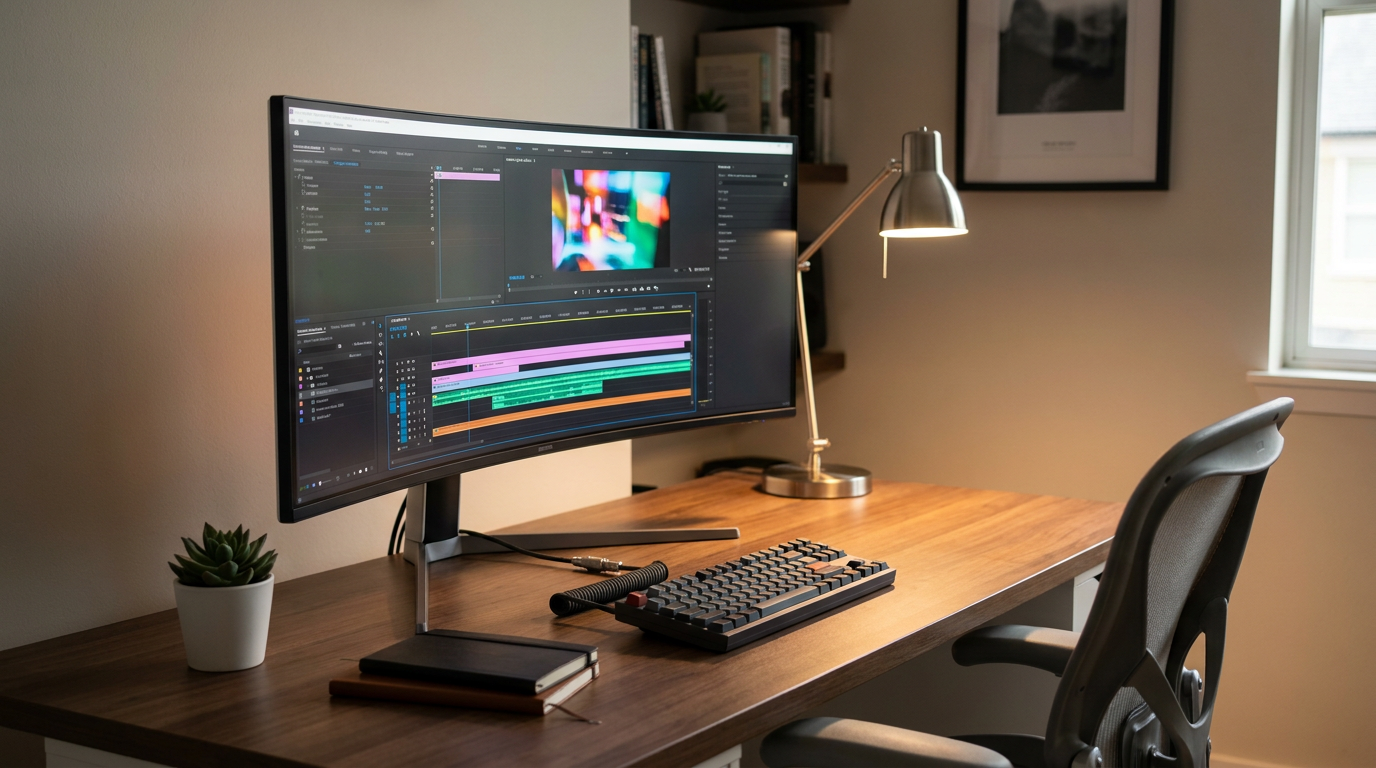
- Seamless Workspace Advocates
- Value visual continuity, single-cable aesthetics, and immersive timelines without the interruption of a physical bezel.
- Modular Productivity Maximizers
- Argue that physical separation is essential for cognitive organization and champion the ability to mix panel orientations.
- Ergonomics & Health Experts
- Focus on the physical toll of desk setups, emphasizing focal depth, neck rotation, and proper desk positioning.
What's not represented
- · Laptop-only minimalists
- · Mobile workers using portable screen extenders
Why this matters
Expanding your screen real estate is one of the most expensive and impactful upgrades you can make to your home office. Choosing the wrong configuration can lead to daily workflow friction, cable clutter, and long-term neck strain.
Key points
- Adding a second screen or expanding to an ultrawide can boost daily productivity by up to 42%.
- Ultrawide monitors eliminate the bezel gap, offering a seamless canvas ideal for video timelines and large spreadsheets.
- Dual monitors provide superior modularity, allowing users to mix resolutions and utilize vertical portrait orientations.
- A 45-inch 32:9 super-ultrawide provides the exact pixel equivalent of two 27-inch QHD monitors.
- Desk depth is critical: dual monitors require deeper desks to accommodate angled viewing and VESA mounts.
- The choice depends on workflow: ultrawides favor connected tasks, while dual monitors excel at strict application separation.
The modern office desk has undergone a quiet revolution, shifting away from the solitary, standard-definition screen toward sprawling digital canvases. As remote and hybrid work solidify their place in the global economy, professionals are investing heavily in their home office ergonomics. The central debate for anyone looking to expand their digital workspace has narrowed to two distinct philosophies: investing in a single, massive ultrawide monitor or wiring up a traditional dual-monitor setup. Expanding your screen real estate is widely considered one of the most effective productivity upgrades available, with some workplace studies suggesting that adding a second screen can boost daily output by up to forty-two percent. However, how you choose to deploy those extra pixels fundamentally alters how you interact with your daily tasks.[1][6]
At the heart of this hardware decision is a trade-off between seamless continuity and physical separation. An ultrawide monitor, typically boasting a cinematic twenty-one-by-nine or thirty-two-by-nine aspect ratio, offers an uninterrupted field of view. Conversely, a dual-monitor setup relies on two distinct sixteen-by-nine panels placed side by side, creating a physical boundary between applications. Neither approach is universally superior; rather, each caters to specific cognitive workflows, desk dimensions, and professional requirements. Understanding the evidence for and against each configuration is essential before committing hundreds or thousands of dollars to a workspace overhaul.[3][5]
The case for the ultrawide monitor centers entirely on visual continuity and aesthetic minimalism. Proponents argue that a single, sweeping display eliminates the dreaded bezel gap—the physical line of plastic that sits dead center in a dual-monitor arrangement. When working on a super-ultrawide, such as a forty-five-inch display pushing a massive 5120 by 1440 resolution, the user gains the exact pixel equivalent of two twenty-seven-inch quad-high-definition monitors, but without any visual interruption. This seamless canvas is a revelation for specific tasks. Video editors can stretch a timeline across three feet of screen, financial analysts can view dozens of spreadsheet columns simultaneously, and creatives can place reference materials directly next to their active canvas without a plastic frame breaking their concentration.[2][4]

The evidence supporting ultrawide setups also leans heavily into physical ergonomics and desk organization. A single monitor requires only one power cable and one display output, drastically reducing cable clutter and freeing up valuable desk space. Furthermore, modern ultrawides frequently feature a curved panel—often around a 2300R curvature—which keeps the edges of the screen at an equidistant focal length from the user's eyes. This subtle wrap-around effect reduces the need to physically turn the neck to see the far edges of the workspace, mitigating long-term strain. For professionals who value a clean, minimalist environment, the single-cable, single-stand reality of an ultrawide is highly appealing.[1][2]
However, the arguments against the ultrawide approach are significant, particularly regarding window management and remote collaboration. Without the physical boundary of a second screen, maximizing a window on an ultrawide often results in a comically stretched application that wastes space. Users must rely on software-based window snapping tools to partition the screen into usable zones, which adds a layer of cognitive friction. Furthermore, sharing an ultrawide screen during a virtual meeting is notoriously problematic; colleagues on standard laptops will see a tiny, letterboxed strip of content that is nearly impossible to read. Finally, the upfront cost of a premium curved ultrawide is steep, and if the panel fails, the entire workspace is out of commission.[3][5]
However, the arguments against the ultrawide approach are significant, particularly regarding window management and remote collaboration.
On the other side of the debate, the case for a dual-monitor setup is built on ultimate flexibility, modularity, and strict task separation. For decades, pairing two displays has been the gold standard for office productivity, and the evidence for its efficacy remains incredibly strong. The defining advantage of dual monitors is the physical boundary between the screens, which acts as a natural organizational tool. A user can dedicate their primary monitor directly in front of them for deep, focused work—such as writing a report or editing a photograph—while angling the secondary monitor to the side to hold peripheral applications like email, team chats, or reference documents. This physical division helps the brain compartmentalize tasks, keeping distractions visible but cordoned off from the main workspace.[3][5]
The flexibility of dual monitors extends to hardware orientation and upgrade paths, providing a level of customization that ultrawides simply cannot match. Programmers, researchers, and writers frequently utilize a mixed-orientation setup, keeping their primary screen in a standard landscape view while rotating their secondary monitor into a vertical portrait mode. This vertical alignment is perfect for reading long blocks of code, scrolling through lengthy documents, or monitoring social media feeds. Additionally, dual setups are inherently modular. A user can pair a high-end, color-accurate 4K display for creative work with a cheaper, standard-definition monitor for text-based applications. If one monitor breaks, or if the user wants to upgrade to a higher refresh rate, they can replace a single component without scrapping the entire system.[3][5]

The drawbacks of a dual-monitor configuration primarily revolve around physical clutter and ergonomic compromises. The most glaring issue is the bezel gap. If a user places two monitors perfectly side by side, the bezels meet exactly in the center of their field of vision, forcing them to constantly turn their neck slightly left or right to focus on their work. To avoid this, most users place one monitor directly in front and angle the second to the side, which can lead to asymmetrical neck strain over long hours. Furthermore, dual setups require double the cables, double the power outlets, and often a heavy-duty, aftermarket monitor arm to reclaim desk space. Achieving perfect color and brightness parity between two different panels is also notoriously difficult, which can be jarring for creative professionals.[2][4]
When analyzing the physical footprint, desk depth plays a crucial role in determining the right setup. An ultrawide monitor demands significant horizontal width but is relatively forgiving on depth, as the screen sits parallel to the user. Dual monitors, especially when angled inward to create a cockpit-like viewing experience, require a deeper desk to accommodate the mounting arms and the sweeping footprint of the screens. If a home office is built around a shallow desk, a dual setup may push the screens uncomfortably close to the user's face, increasing eye fatigue.[3][4]

Ultimately, the decision should be guided by how your specific workflow behaves. The ultrawide monitor fits exceptionally well when your daily tasks require visual continuity. If your work involves sprawling timelines, massive data sets, or side-by-side reference work where related windows need to stay connected, the seamless canvas of an ultrawide will feel like a massive upgrade. It is also the superior choice for professionals who prioritize a pristine, minimalist desk aesthetic and want to avoid the hassle of cable management. However, it does not fit well if your job requires constant full-screen sharing in virtual meetings, or if you prefer to maximize applications without fiddling with third-party window management software.[1][3]
Conversely, the dual-monitor configuration fits perfectly when your workflow demands strict separation of tools. It is the ideal setup for remote workers who need to keep communication dashboards permanently visible while executing focused tasks on a primary screen. It fits exceptionally well for coders and writers who benefit from a vertical portrait display, and for budget-conscious buyers who want to build their workspace incrementally. It does not fit well if your primary work—such as video editing or large-scale design—is constantly interrupted by the physical bezel gap, or if you suffer from neck strain caused by constantly pivoting between two distinct focal points.[3][5]
How we got here
2000s
Dual monitor setups become the gold standard for power users and financial analysts needing more workspace.
2014
The first consumer 21:9 ultrawide monitors enter the market, initially targeting cinematic gaming and niche productivity.
2019
Super ultrawide 32:9 monitors launch, offering the exact pixel equivalent of two standard screens without a bezel.
2026
High-resolution OLED ultrawides and advanced window-management software make single-screen setups a mainstream office standard.
Viewpoints in depth
Seamless Workspace Advocates
Focus on the aesthetic and workflow benefits of a single, uninterrupted canvas.
Proponents of the ultrawide approach argue that the bezel gap is an archaic distraction that breaks creative flow. They point out that modern window-snapping software has largely solved the organizational challenges of a single screen, allowing users to partition their workspace exactly as needed. For this camp, the reduction in cable clutter and the immersive, cinematic quality of a curved display make the higher upfront cost a worthwhile investment in daily comfort.
Modular Productivity Maximizers
Argue that physical separation is essential for cognitive organization and hardware flexibility.
This camp champions the ability to mix and match panel types to suit specific tasks. They argue that a physical bezel acts as a necessary cognitive boundary, keeping distracting applications like email and chat cordoned off from primary work. Furthermore, they emphasize the financial and practical benefits of modularity: if a user wants to upgrade to a 4K display for editing or rotate a screen vertically for coding, a dual-monitor setup allows them to do so incrementally without replacing their entire desk ecosystem.
Ergonomics & Health Experts
Emphasize the physical toll of desk setups, focusing on focal depth and neck rotation.
Ergonomic specialists point out that while curved ultrawides brilliantly reduce focal depth variation, dual monitors often force asymmetrical neck rotation unless they are perfectly balanced. They stress that neither setup is inherently healthy without proper desk depth, chair alignment, and the use of adjustable monitor arms. For these experts, the true deciding factor is how well the chosen hardware allows the user to maintain a neutral spine and eye-level viewing angle over an eight-hour workday.
What we don't know
- Whether future operating systems will natively support seamless screen-sharing of 32:9 aspect ratios without letterboxing.
- How long-term eye health is impacted by staring at a single curved focal point versus shifting focus between two distinct flat panels.
Key terms
- Aspect Ratio
- The proportional relationship between a display's width and height, such as 16:9 for standard widescreen or 21:9 for ultrawide.
- Bezel Gap
- The physical line created by the plastic frames of two monitors placed side by side, which interrupts the visual field.
- DQHD
- Dual Quad High Definition, a resolution of 5120 x 1440 that effectively combines two 1440p displays into one seamless panel.
- Window Snapping
- Software features that allow users to easily drag and lock application windows into specific, organized zones on a large screen.
- VESA Mount
- A standard interface used for mounting monitors to adjustable arms or wall brackets, freeing up desk space.
Frequently asked
Can an ultrawide monitor completely replace two screens?
Yes. A 45-inch 32:9 super-ultrawide provides the exact pixel equivalent of two 27-inch QHD monitors, offering the same amount of workspace without the bezel gap.
Are dual monitors better for Zoom and screen sharing?
Generally, yes. Sharing a standard 16:9 monitor is seamless, whereas sharing a 21:9 or 32:9 ultrawide screen creates extreme letterboxing that makes content difficult for viewers to read.
Can I use a vertical monitor with an ultrawide setup?
Yes, many professionals pair a central ultrawide with a smaller, vertically oriented secondary monitor to get the best of both worlds, though this requires significant desk space.
Does a curved screen actually help with ergonomics?
Yes. A curved panel keeps the edges of a wide display at a consistent focal distance from your eyes, reducing the need to turn your neck and lowering eye strain.
Sources
Source coverage
7 outlets
3 viewpoints surfaced







[1]HPSeamless Workspace Advocates
Ultrawide vs. Dual Monitor Comparison: Screen Real Estate
Read on HP →[2]ViewSonicSeamless Workspace Advocates
Ultrawide vs Dual Monitors for Editing Productivity
Read on ViewSonic →[3]The Hearthful HomeModular Productivity Maximizers
Ultrawide vs Dual Monitors for Work: Which Setup Fits Better?
Read on The Hearthful Home →[4]KTCErgonomics & Health Experts
When One Ultrawide Replaces Two Monitors
Read on KTC →[5]BoxModular Productivity Maximizers
Ultrawide vs Dual Monitor Setups: Which is Best?
Read on Box →[6]Mobile PixelsModular Productivity Maximizers
Ultrawide vs Dual Monitor Setup Productivity
Read on Mobile Pixels →[7]Factlen Editorial TeamErgonomics & Health Experts
Synthesis by Factlen editorial team
Read on Factlen Editorial Team →

More in shopping
See all 5 stories →

Every angle. Every day.
Get shopping stories with full source coverage and perspective breakdowns delivered to your inbox.