
How to Run Local AI Models on Consumer Hardware: The Complete 2026 Guide
Running Large Language Models entirely offline offers absolute data privacy and zero subscription fees. Here is how quantization, Apple Silicon, and tools like Ollama are making local AI accessible to everyone.
By Factlen Editorial Team
- Hardware Optimizers
- Focus on maximizing inference speed and context windows by leveraging quantization techniques and unified memory architectures.
- Open-Source Developers
- Value local models for their API accessibility, lack of rate limits, and the ability to integrate AI directly into offline coding environments.
- Enterprise Compliance Officers
- Prioritize data sovereignty and view local LLMs as the only viable path to utilizing AI while maintaining strict HIPAA and GDPR compliance.
What's not represented
- · Cloud AI Providers
- · Non-technical Consumers
Why this matters
Cloud-based AI requires sending your private data, proprietary code, and sensitive documents to third-party servers. Running models locally on your own hardware guarantees absolute privacy, eliminates recurring subscription fees, and works entirely offline.
Key points
- Running AI models locally ensures absolute data privacy and compliance with regulations like HIPAA.
- Local deployment eliminates recurring API subscription fees and works entirely offline.
- VRAM capacity, rather than CPU speed, is the primary hardware bottleneck for running local models.
- Quantization compresses massive models, allowing them to run on standard consumer graphics cards.
- Apple's unified memory architecture allows MacBooks to run models that typically require server hardware.
- Tools like Ollama and LM Studio have made installing and running local AI accessible to non-experts.
The AI revolution has a fundamental privacy problem. When users interact with cloud-based models, their prompts, proprietary code, and sensitive documents are transmitted to third-party servers. For casual users, this is a minor tradeoff for immense computational power. But for hospitals handling patient records, law firms managing attorney-client privilege, or developers writing proprietary software, sending data outside the network perimeter is a non-starter.[1]
Enter the local Large Language Model (LLM) movement. Rather than renting intelligence from a cloud provider, organizations and individuals are increasingly downloading open-source models and running them entirely on their own hardware. This architecture ensures absolute data sovereignty—zero bytes of information ever leave the local machine, making the setup inherently compliant with strict regulatory frameworks like HIPAA and GDPR.[1][2]
The financial incentives for local deployment are equally compelling. The average enterprise data breach now costs upwards of $4.44 million, making cloud exposure a significant liability. Furthermore, organizations processing hundreds of thousands of tokens daily face steep, recurring API fees. By shifting inference to local machines, companies replace variable subscription costs with fixed hardware investments, achieving rapid return on investment while eliminating rate limits and network latency.[1][3]
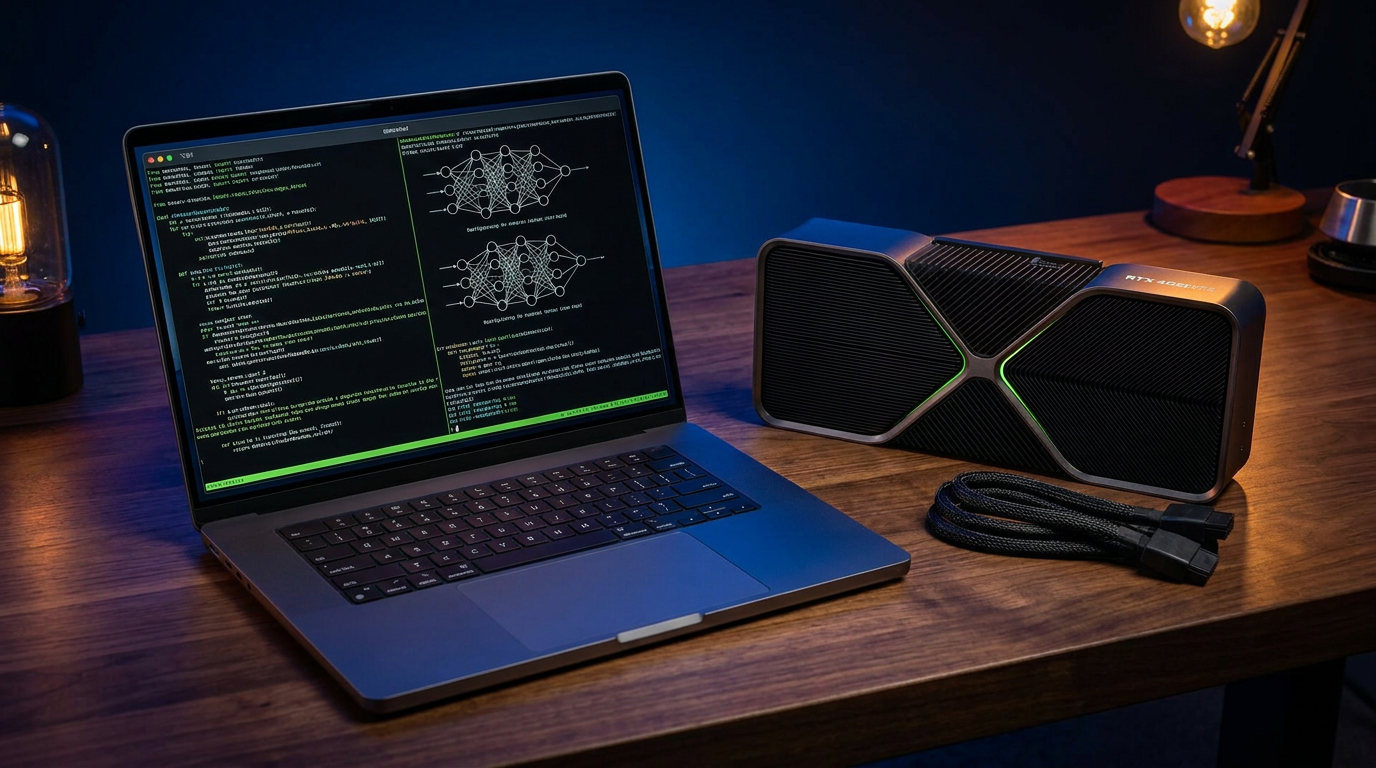
However, running a neural network at home requires specific hardware architecture. The primary bottleneck is rarely the computer's central processor (CPU); instead, the heavy lifting relies entirely on Video RAM (VRAM), the dedicated memory located on the graphics card. Unlike video games, which prioritize frame rates and rendering speed, AI inference is fundamentally about memory capacity.[2][4]

VRAM dictates whether an AI model can even load, let alone generate text. A standard rule of thumb in the industry is that a model requires roughly two gigabytes of VRAM per one billion parameters when running at full 16-bit precision. Under this math, a relatively small 7-billion parameter model would demand 14GB of VRAM just to sit idle—exceeding the capacity of most mid-range consumer graphics cards.[4]
To bypass this hardware ceiling, developers rely on a mathematical compression technique known as quantization. By reducing the precision of the model's internal weights from 16-bit down to 8-bit or even 4-bit, quantization drastically shrinks the model's memory footprint. While this involves a slight tradeoff in reasoning accuracy, the compression allows massive neural networks to run on everyday hardware.[2][4]
Thanks to 4-bit quantization, that same 7-billion parameter model no longer requires 14GB of memory. Instead, it can run comfortably on an entry-level graphics card with just 8GB of VRAM. This breakthrough has democratized access to AI, allowing hobbyists and small businesses to run highly capable models like Llama 3 or Mistral without purchasing enterprise-grade server racks.[2][5]
Thanks to 4-bit quantization, that same 7-billion parameter model no longer requires 14GB of memory.
Apple Silicon has completely disrupted this traditional hardware paradigm. Because Apple's M-series chips utilize a unified memory architecture, the system RAM is shared directly with the graphics processor. A MacBook Pro with 64GB of unified memory can dedicate nearly all of it to AI inference, allowing laptops to run massive 70-billion parameter models that would otherwise require multiple expensive data-center GPUs.[3][4]

Yet, loading the model into memory is only half the battle. The hidden trap of local AI is the 'context window'—the amount of text the model must remember during a specific session. Every word of conversation, every line of pasted code, and every uploaded document consumes additional VRAM dynamically as the context grows.[3]
Feeding a massive 50,000-token codebase into a local model can quickly exhaust the remaining VRAM. When a graphics card runs out of memory, the system is forced to offload the overflow to the computer's standard system RAM. Because system RAM is drastically slower than VRAM, this offloading causes generation speeds to plummet from dozens of words per second to a crawl.[3][4]
On the software side, deploying these models no longer requires deep technical expertise. The ecosystem has rapidly matured, replacing complex Python scripts with user-friendly applications. Two dominant tools have emerged to lead this space, each catering to a fundamentally different type of user: Ollama and LM Studio.[5][6]
Ollama operates as a lightweight, command-line interface designed primarily for developers. It runs silently as a background service, allowing users to pull and execute models with a single terminal command. Because it exposes a local REST API, Ollama is the preferred engine for integrating private AI into automated scripts, custom applications, or local coding environments.[5][6]

Conversely, LM Studio offers a highly polished, graphical desktop application tailored for exploration. It features a visual model browser, one-click downloads, and a built-in chat interface that mimics the experience of using ChatGPT. For beginners or professionals who simply want to test different models without touching a terminal, LM Studio provides a frictionless entry point.[5][6]
While local models running on consumer hardware cannot yet match the sheer, generalized reasoning power of trillion-parameter cloud behemoths, they excel at specific, targeted tasks. Whether it is summarizing private documents, generating boilerplate code, or acting as an offline writing assistant, local models offer a highly capable alternative.[5][6]
As open-source models continue to shrink in size while growing in capability, the reliance on centralized cloud intelligence will likely decrease. The future of AI is increasingly moving to the edge, transforming everyday laptops and smartphones into private, offline reasoning engines that empower users while fiercely protecting their data.[1][7]
How we got here
Feb 2023
Meta's LLaMA weights leak to the public, inadvertently sparking the open-source AI movement.
Mar 2023
The release of Llama.cpp allows developers to run large language models on standard consumer CPUs.
Jul 2023
Ollama launches, simplifying the deployment of local models down to a single terminal command.
Early 2024
LM Studio brings a polished graphical interface to local AI, making it accessible to non-developers.
Mid 2026
Highly optimized 7-billion parameter models reach reasoning parity with early cloud models, running easily on 8GB GPUs.
Viewpoints in depth
Enterprise Compliance Officers
View local LLMs as the only viable path to utilizing AI while maintaining strict regulatory compliance.
For organizations in healthcare, finance, and law, the risk of a data breach far outweighs the convenience of cloud AI. Compliance officers argue that sending patient records or proprietary code to a third-party server violates HIPAA, GDPR, and basic data sovereignty principles. By moving inference to local, air-gapped machines, enterprises can leverage advanced AI summarization and analysis without ever exposing their data to the public internet.
Hardware Optimizers
Focus on maximizing inference speed and context windows by leveraging quantization and unified memory.
Hardware enthusiasts and system architects view local AI as a resource allocation puzzle. They emphasize that raw parameter count is less important than how efficiently a model fits into available VRAM. This camp champions aggressive quantization techniques (like 4-bit compression) and highlights Apple Silicon's unified memory as a revolutionary shift, allowing consumer laptops to punch far above their weight class by sharing system RAM directly with the GPU.
Open-Source Developers
Value local models for their API accessibility, lack of rate limits, and freedom from vendor lock-in.
Developers building the next generation of AI applications prefer local models because they offer unrestricted access. Without cloud API rate limits, subscription costs, or unexpected model deprecations, developers can build robust, automated workflows. Tools like Ollama allow them to spin up background AI services that integrate directly into their local code editors, providing infinite, free inference for testing and deployment.
What we don't know
- How quickly consumer hardware manufacturers will increase baseline VRAM to meet the growing demands of local AI.
- Whether future quantization techniques will eventually degrade reasoning quality too much for complex tasks.
- How cloud providers will adjust their pricing models to compete with the rising popularity of free local inference.
Key terms
- VRAM (Video RAM)
- The dedicated memory located on a graphics card, which is crucial for loading and running AI models quickly.
- Quantization
- A compression technique that reduces the mathematical precision of an AI model's weights, allowing massive models to fit onto consumer hardware.
- Context Window
- The maximum amount of text (prompts, documents, and previous conversation) an AI model can remember and process at one time.
- Parameters
- The internal variables a neural network uses to make decisions; generally, more parameters mean a smarter but more hardware-intensive model.
- Inference
- The actual process of an AI model generating a response or prediction based on the prompt it was given.
Frequently asked
Can I run a local LLM without a dedicated graphics card?
Yes, but it will be significantly slower. Without a GPU, the model runs on your CPU, which typically generates only a few words per second compared to the rapid output of a dedicated graphics card.
Are local AI models as smart as ChatGPT?
Smaller local models (like 7B parameter versions) cannot match the broad reasoning capabilities of massive cloud models like GPT-4. However, they are highly capable at specific tasks like coding, summarizing, and drafting text.
What is the difference between Ollama and LM Studio?
Ollama is a command-line tool that runs in the background, making it ideal for developers building apps. LM Studio is a visual desktop application with a built-in chat interface, making it perfect for beginners.
Is my data truly private when using local models?
Yes. When running an LLM locally via tools like Ollama or LM Studio, the model processes your prompts entirely on your machine's hardware. No data is sent over the internet.
Sources
Source coverage
7 outlets
3 viewpoints surfaced







[1]Digital AppliedEnterprise Compliance Officers
Local LLM deployment has transformed from a hobbyist pursuit to an enterprise necessity
Read on Digital Applied →[2]PlugableHardware Optimizers
VRAM and AI: Finding the Right GPU for Local LLMs
Read on Plugable →[3]Zen Van RielHardware Optimizers
Why VRAM Is the Real Limitation for Local AI
Read on Zen Van Riel →[4]Atomic ChatHardware Optimizers
Local LLM Hardware Requirements by Model Size
Read on Atomic Chat →[5]Prompt QuorumOpen-Source Developers
Ollama vs LM Studio: How to Run Local LLMs
Read on Prompt Quorum →[6]UnslothOpen-Source Developers
How to Run Local LLMs with Claude Code
Read on Unsloth →[7]Factlen Editorial TeamOpen-Source Developers
Synthesis by Factlen editorial team
Read on Factlen Editorial Team →
Every angle. Every day.
Get guides stories with full source coverage and perspective breakdowns delivered to your inbox.